End of year tax returns under Making Tax Digital
As well as keeping digital records and filing quarterly updates each year, you will also be required to complete an end of year tax return under Making Tax Digital. This must be done digitally, using compatible third party software. We explain more about this process below.
Content on this page:
The transition to Making Tax Digital tax returns
Under Making Tax Digital you no longer file a traditional self assessment tax return. For any tax year where you are following the new Making Tax Digital rules, you will instead need to submit a different sort of tax return using Making Tax Digital software. This could be the same software you have been using to file your quarterly updates or it may be different software.
A tax return under Making Tax Digital must include all your sources of taxable income, not just the income that you include in your quarterly updates. It must also include any claims for allowances and reliefs.
You will not be able to use HMRC’s free online tax return filing service to complete a Making Tax Digital tax return, you must use commercial software.
If you have been in Making Tax Digital from April 2026 (see When does Making Tax Digital start for me?) you will have to submit a Making Tax Digital tax return for the 2026/27 tax year.
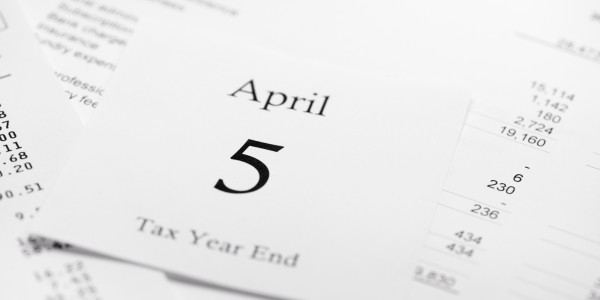
The Making Tax Digital deadline for filing your end of year tax return is the same as the usual deadline for traditional self assessment tax returns. This means that you must file your tax return by 31 January following the end of the tax year to which it relates. For example, your Making Tax Digital end of year tax return for the 2026/27 year must be filed by 31 January 2028.
Declaring taxable income and gains and claiming allowances and reliefs
Your software will show the income and expenses information that you have submitted in the four quarterly updates in the tax year for your self-employment and/or property income. As part of the finalisation process you will need to make any adjustments to your income and expenses in your software to arrive at the final taxable profit for the accounting period of the business. This might include amending some expenses to exclude the non-business element, or claiming the simplified expense mileage allowance, or claiming property allowance. See GOV.UK for more information on this.
You will also need to enter information for any other taxable income sources in the tax year into your software. This would include any income from sources such as savings or investments. Some details relevant to your tax return should be pre-populated in the software from HMRC’s own records. For example, if you have employment or pension income, the pay and tax details for the tax year should show automatically in the software. There should also be information about any student loan repayments made, or Construction Industry Scheme (CIS) tax deductions. For a full list of information which HMRC will add to your tax return under Making Tax Digital, see the section Add your income and gains on GOV.UK.
It is important that you check any information which has been pre-populated to make sure that you agree with the figures provided and that these match your own records. If you do not agree with all the pre-populated data you will either need to edit the data in the software or contact HMRC, depending on what your software allows you to do. You will not be able to file your Making Tax Digital tax return until you can agree all the information entered in the software.
Finalising your tax position for the tax year
Once you are happy that all your taxable income and gains are declared and allowances and reliefs are claimed, you are ready to finalise your tax position and submit your tax return. The software displays a tax calculation for the tax year from the data entered. This shows the amount of tax, National Insurance, and (if applicable) student loan repayment amounts due for the relevant tax year.
You must confirm that you agree the tax calculation and then make a final declaration to confirm the information provided is complete and correct. This must all be done through commercial software.
Once the final declaration is submitted, this effectively completes your tax return under Making Tax Digital. It replaces the completion of the traditional self assessment tax return.